-
How to Protect Your Child from Internet Pornography
- Graphic pornography, sexual predators, cyber bullies, sexting, addictive online gaming-all make the internet a dangerous place for children. No safeguard stands between the internet and your child except your involved, informed parenting. This article from LightLogger Keylogger presents effective, practical steps you can take to protect your child from one of those threats, internet pornography.
- Pornography is graphic, sexually explicit material designed solely to arouse the viewer. It is often degrading, violent, or otherwise deviant in nature and can include images of children (child pornography). Because pornography is a profitable online industry, it is available everywhere online with no effective barrier to viewing by children. In fact, studies show far more children find pornography online accidentally than deliberately.
- To protect your child from internet pornography, first implement a comprehensive internet protection plan. Use the free resources offered online at Internet Safety 101, including the written rules, software tools, youth pledge, and appropriate age-based guidelines for your child. Experts on internet safety recommend parents of children 18 and under establish clear, written rules for their kids’ online behavior and use software tools to filter and monitor their kids’ activity. Both the rules and tools should be appropriate to your child’s age. When installing software, include an activity monitor like LightLogger Keylogger, a website filter, and a child-safe browser for younger children.
- Now take these additional steps to protect your child:
- Graphic pornography, sexual predators, cyber bullies, sexting, addictive online gaming-all make the internet a dangerous place for children. No safeguard stands between the internet and your child except your involved, informed parenting. This article from LightLogger Keylogger presents effective, practical steps you can take to protect your child from one of those threats, internet pornography.
- Keep your child’s internet-connected computer in an open area out of your child’s bedroom.
- Discuss with your child, in an age-appropriate way, that sexual images may appear online and are not suitable for viewing by children.
- Encourage your child to tell you whenever they encounter online pornography.
- Learn about the software products available for protecting your child. Install both filtering and monitoring applications. For more information about selecting and configuring those applications, see the online guides at Internet Safety 101 and insafe.
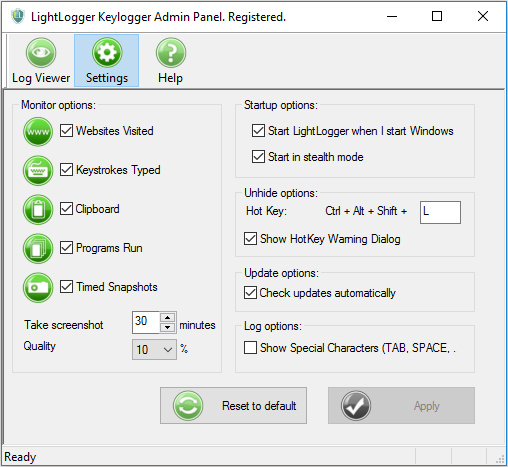
- Spot check your child’s online activity occasionally with your monitoring software. LightLogger Keylogger, an inexpensive, easy-to-use monitoring tool, is ideal for this purpose, since it records many types of activity and can take images periodically of your monitor’s content.
- Remember that being actively involved and interested in your child’s online life is the most important tool you have.
- Read all the articles on internet safety from HeavenWard.
- Remember that being actively involved and interested in your child’s online life is the most important tool you have.